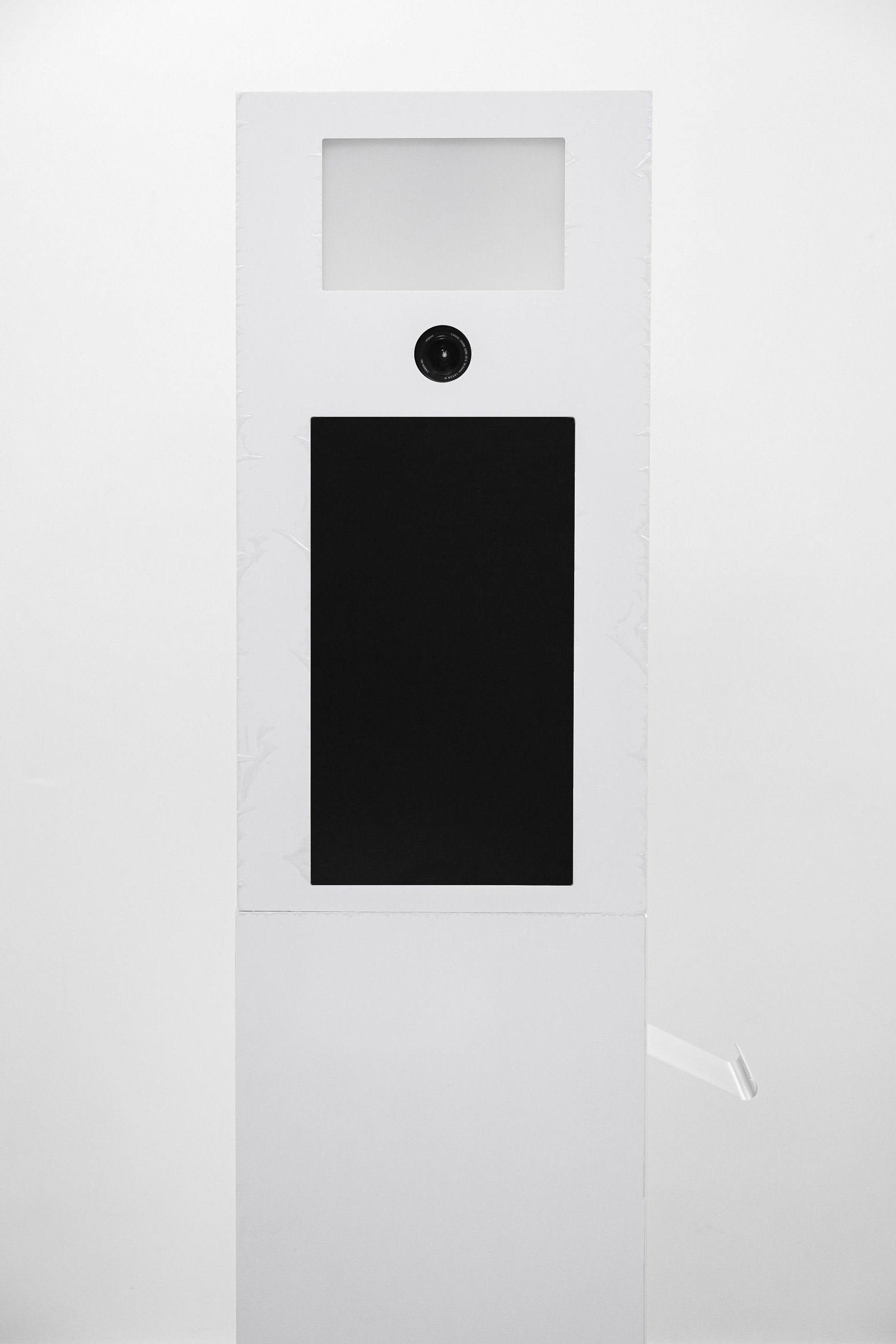
DZEN-CLASSIC · EVENT PHOTO BOOTH
Classic — an event photo booth engineered from the inside out
A familiar photo-booth format with every internal detail reconsidered: lighting, mounts, printer placement, cable routing and replaceable branding panels.
- Two versions
- Aluminium frame
- Replaceable panels
- Configured to order
The product
Familiar outside. Engineered inside.
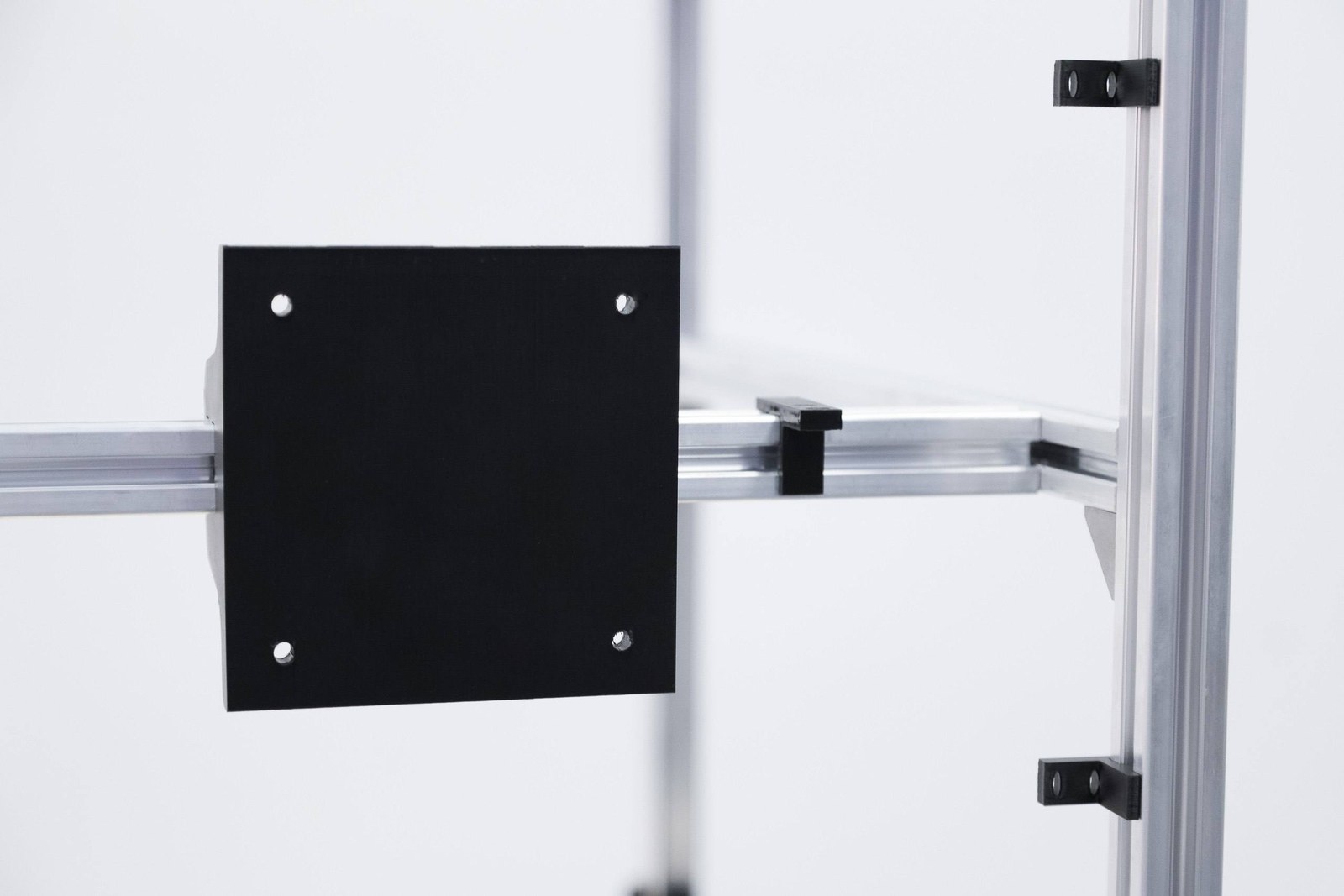
The camera, monitor, mini PC, lighting, printer and power hardware can be positioned for straightforward setup, adjustment, service and transport between events.
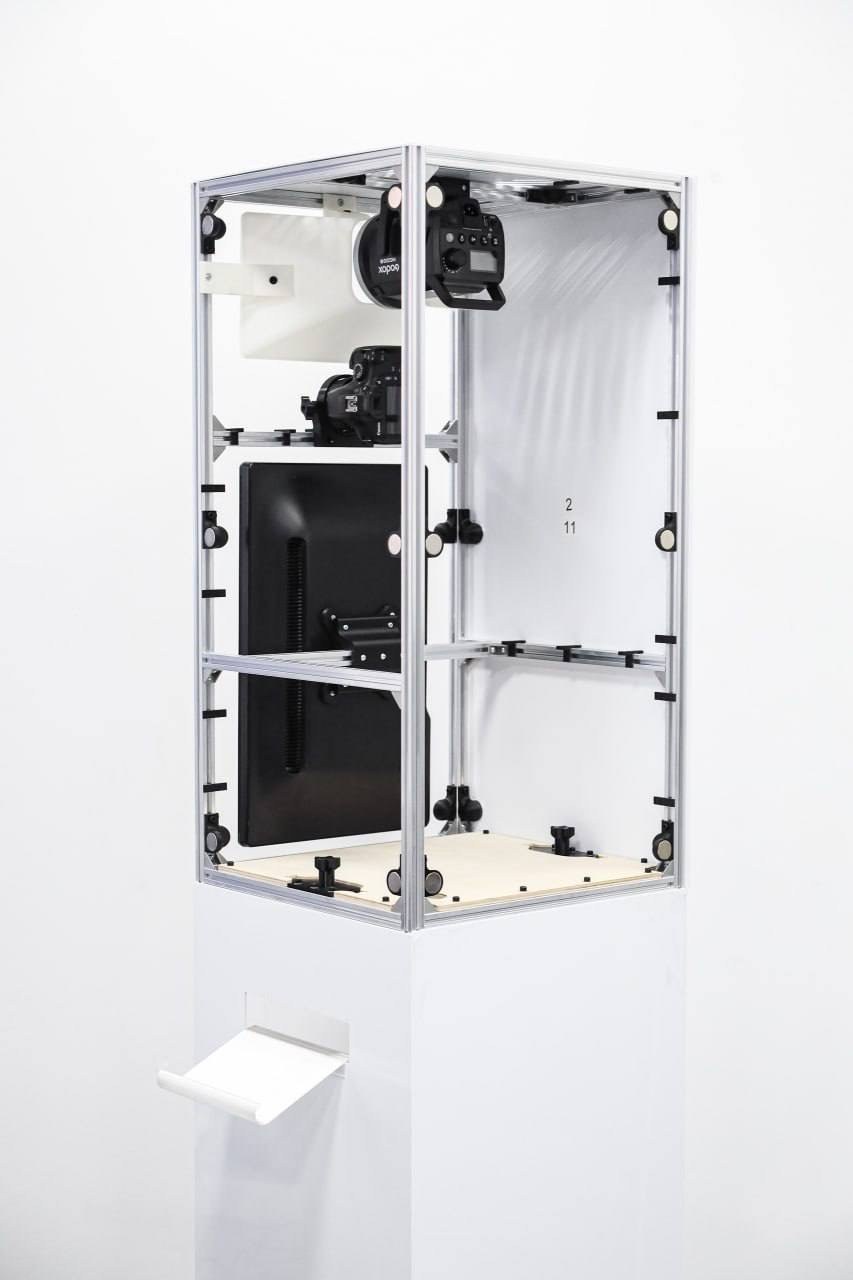
Every component has a defined place inside the enclosure.
- CaptureCamera and display positions adjust inside the frame.
- PrintingPrinter fit and output direction inform the version choice.
- BrandingExterior panels change without rebuilding the frame.
Construction
How Classic is built
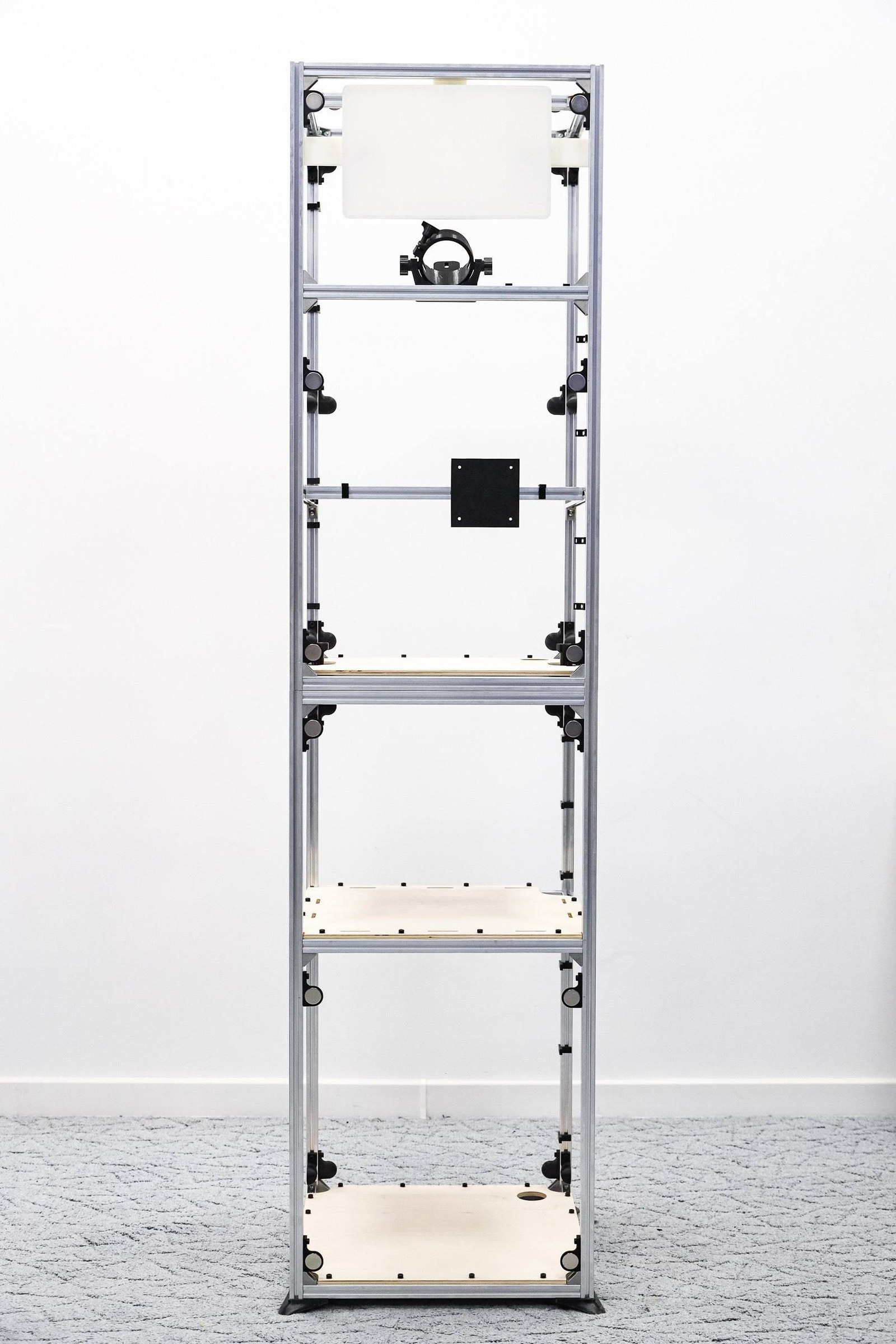
The body separates into two parts for transport. Its lightweight aluminium frame travels in protective cases. Adjustable feet help level the booth on uneven event floors.
Branding
New branding without rebuilding the booth
Printable PVC panels can be produced for a specific brand or event and replaced without altering the frame. Magnetic mounting makes them quick to install and keeps the edges aligned.
Equipment
A defined place for every component
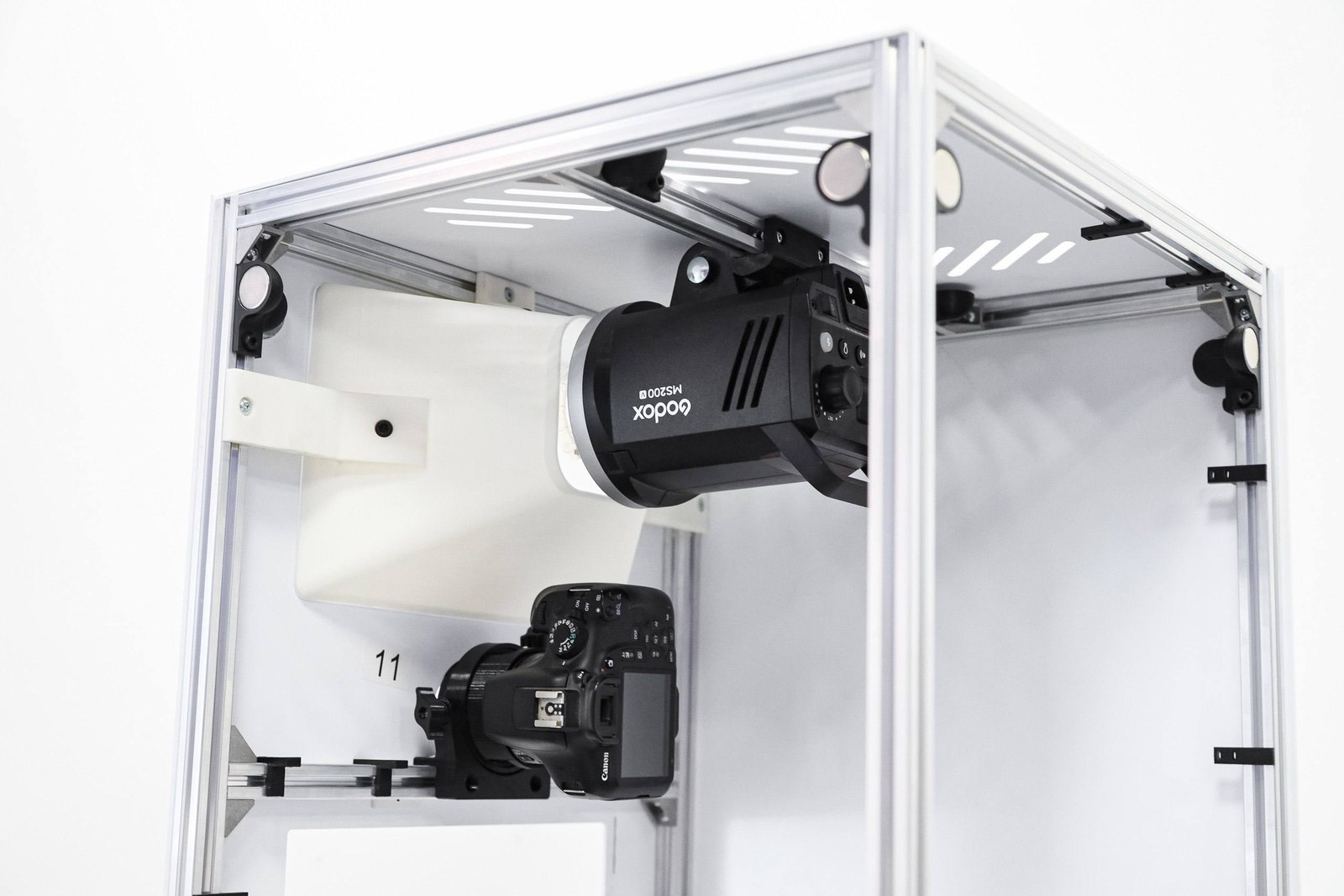
The camera, monitor, mini PC and lighting receive dedicated adjustable positions inside the enclosure.
- CameraPivoting mount; compact Canon R100 or Canon 2000D bodies are recommended.
- MonitorAdjustable clamping mount; validate the working size range before ordering.
- Mini PCSelect a compatible model with the rest of the configuration.
- LightingStudio light works through the integrated diffuser; validate the exact model before ordering.
Printing
Printing in the direction the venue needs
The enclosure is designed around commonly used compatible Mitsubishi and DNP photo printers. A DNP RX1 fits only the 500 × 500 version, where the dispenser can face any side.
Connections
Power and cables stay inside
The lower section provides power and computer-cable connections plus internal routes and attachment points. Installed cables stay secured and out of sight.
Two versions
Version comparison
The versions differ in internal volume, DNP RX1 compatibility and print output direction.
| Specification | 500 × 350 | 500 × 500 |
|---|---|---|
| Format | compact enclosure | larger internal volume |
| DNP RX1 | not supported | supported |
| Print-dispenser direction | side-mounted (left or right) | any side of the enclosure |
| Camera, monitor and mini PC | selected for compatibility | selected for compatibility |
Confirmed data
Specifications
Only details confirmed by the current content contract are published.
| Construction | two-part transportable enclosure |
|---|---|
| Frame | aluminium |
| Panels | replaceable magnetic PVC panels |
| Camera | adjustable pivoting mount; compact Canon R100 / 2000D recommended |
| Monitor | adjustable clamping mount; size range pending confirmation |
| Computer | provision for a compatible mini PC |
| Lighting | studio-light mount and integrated diffuser |
| Cable management | internal routes, openings and attachment points |
| Levelling | adjustable feet |
| Transport | two sections with protective cases |
| Printers | commonly used compatible Mitsubishi and DNP models; DNP RX1 only in 500 × 500 |
Version names 500 × 350 and 500 × 500 are published without a unit until it is confirmed. The exact contents of each version are confirmed before ordering.
Media gallery
Classic in detail
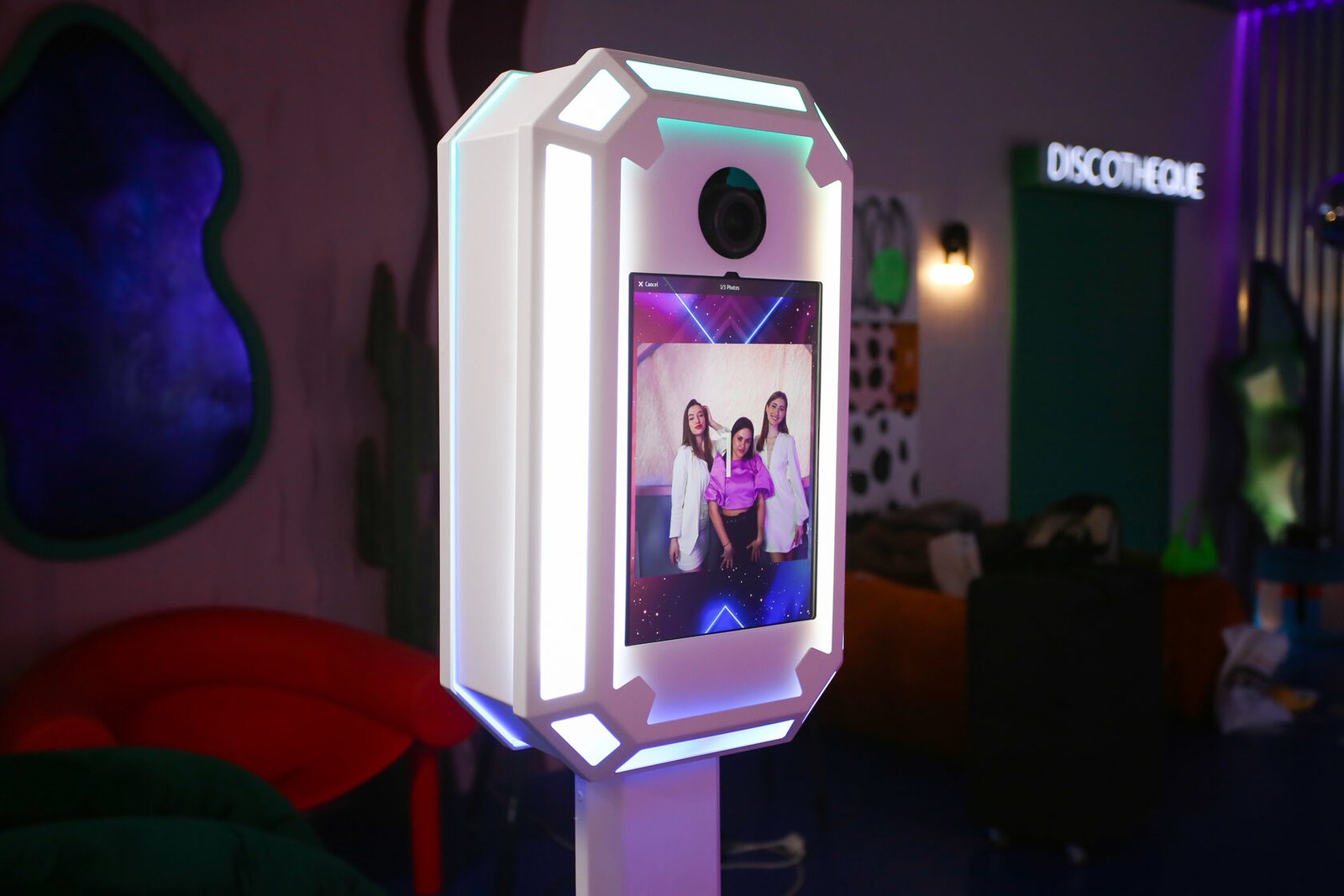
Verified product photographs show the enclosure, open frame and adjustable internal mounts.
MixUp App
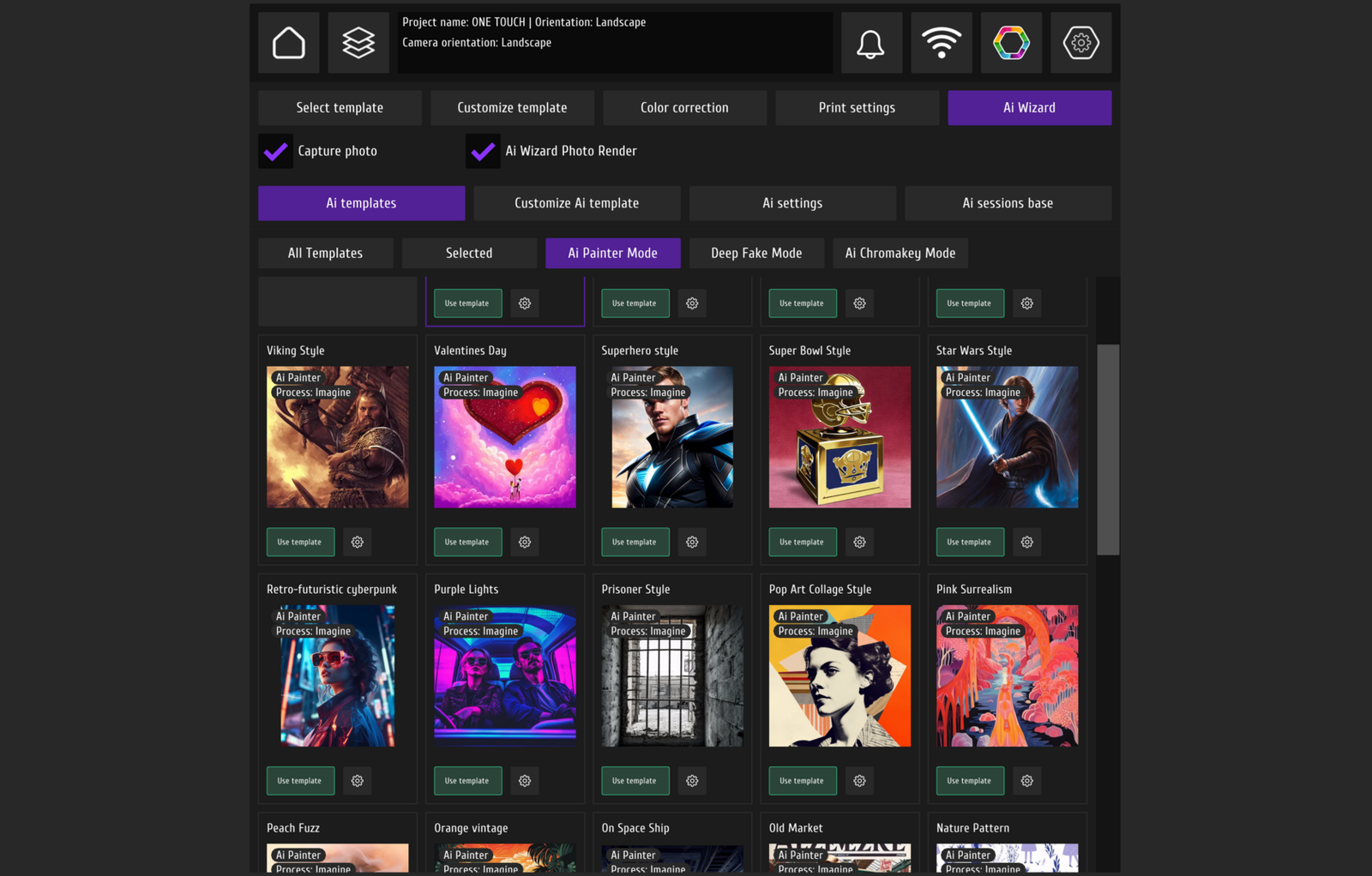
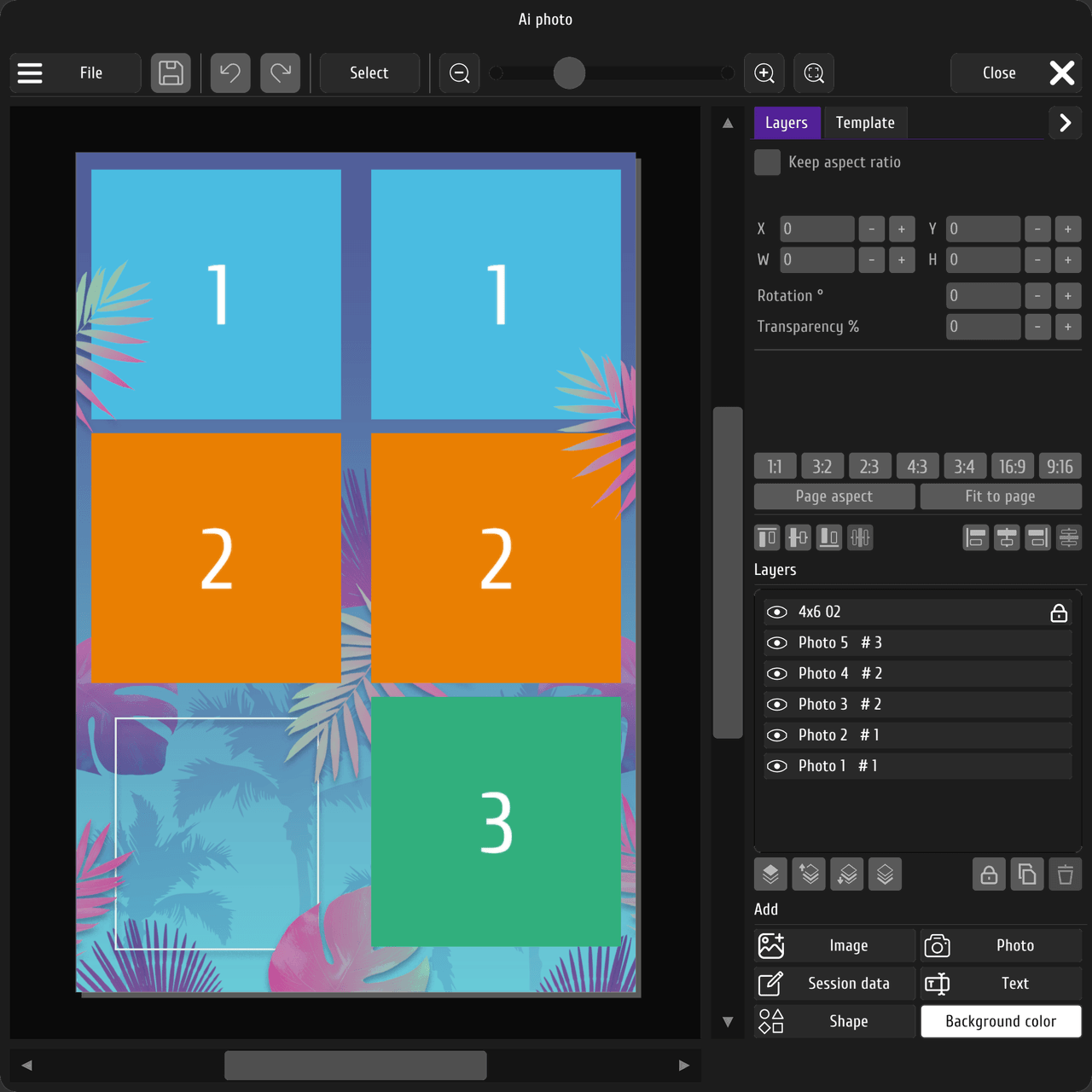
MixUp App — software context
The interfaces below show MixUp App editing and print settings. They are software-workflow images, not photographs of the Classic enclosure.
Reviews
Reviews and projects
Verified materials are not available yet.
Reviews and project examples will appear after source and publication rights are checked.
DZEN TECH
Production and international projects
DZEN TECH configures Classic around the selected equipment. Production, packing, delivery conditions and market documents are confirmed before ordering.
Next step
How to order
1
Choose the 500 × 350 or 500 × 500 version.
2
Provide the camera, display, mini PC, lighting and printer models.
3
Receive the list of equipment required for purchase.
4
Receive the confirmed contents and commercial terms.
FAQ
Before choosing Classic
Validate the version and installed equipment together before ordering.
What is the difference between the 500 × 350 and 500 × 500 versions?+
The 500 × 350 version is the more compact option. The 500 × 500 version supports the DNP RX1 and allows the print dispenser to face any side.
Can the booth be rebranded for different events?+
Yes. Printable PVC panels attach magnetically, so the visual treatment can change without modifying the aluminium frame.
Which printer can I install?+
The enclosure is designed for commonly used compatible Mitsubishi and DNP photo printers. Check the exact model before ordering. A DNP RX1 fits only the 500 × 500 version.
Which camera and monitor can I use?+
Both mounts are adjustable. Compact Canon R100 and Canon 2000D bodies are recommended. The exact camera and display are checked for size and weight before approval.
How is the booth transported?+
The enclosure separates into two sections and travels in protective cases.
DZEN TECH / Classic
Match Classic to the equipment and venue.
Compare both versions, validate component compatibility and approve the replaceable panels.