DZEN TECH / MixUp
MixUp Photo Booth for Photo, Video and Interactive Experiences
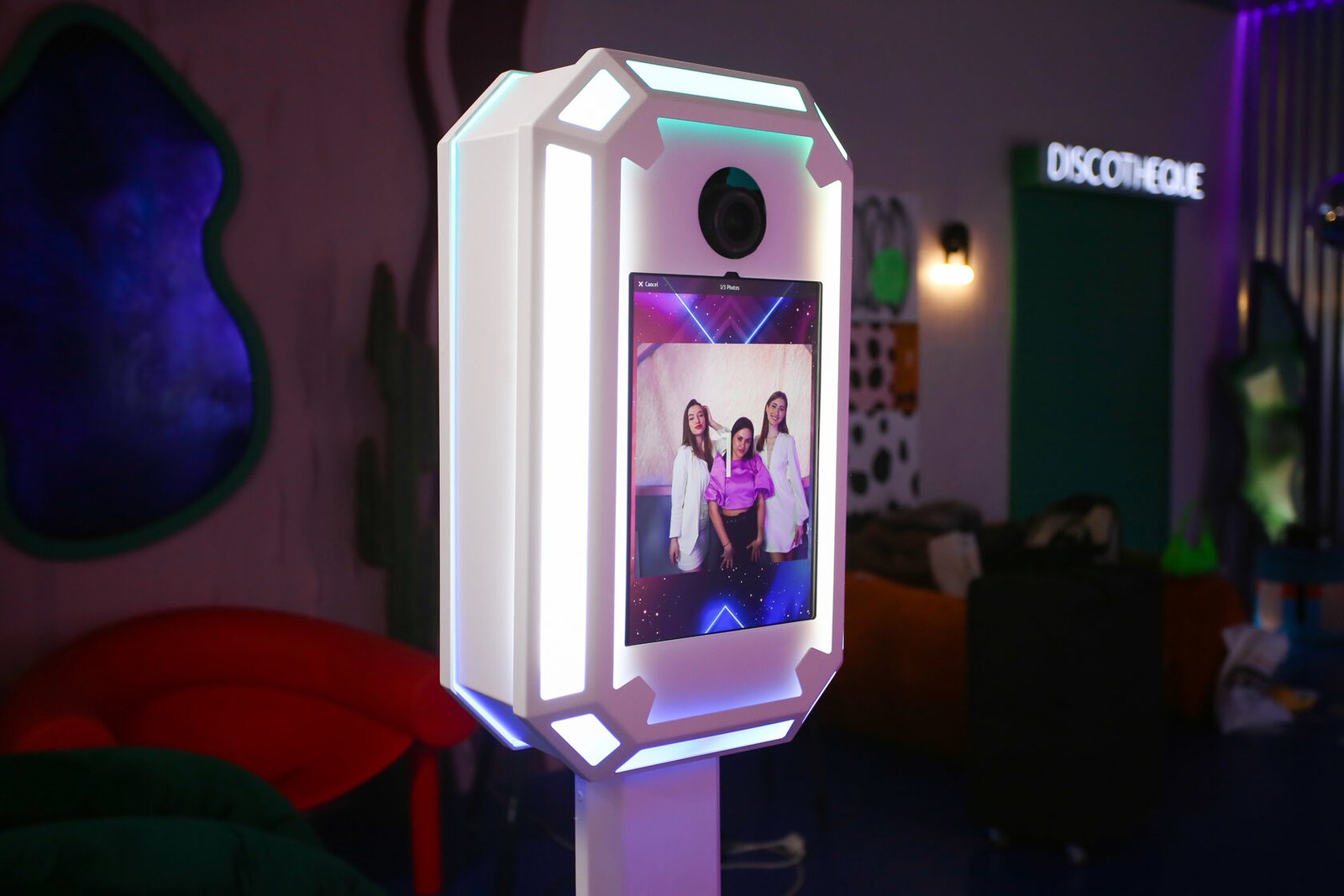
A versatile event photo booth that brings the camera, tablet, white light and RGB accents into one clean enclosure. Use it as a standalone capture station or as part of the MixUp ecosystem.
On requestconfiguration confirmed before ordering
Capabilities
One enclosure. More than one event format.
Software and configuration change the capture experience while the physical zone stays composed.
Camera and tablet
Match the control device, faceplate and capture method as one configuration.
White and RGB light
White light supports an even frame; RGB accents carry the event palette.
Photo and video
Templates, overlays, printing and sharing follow the selected software workflow.
Printing beside it
Printr completes the area with a confirmed photo printer.
The result
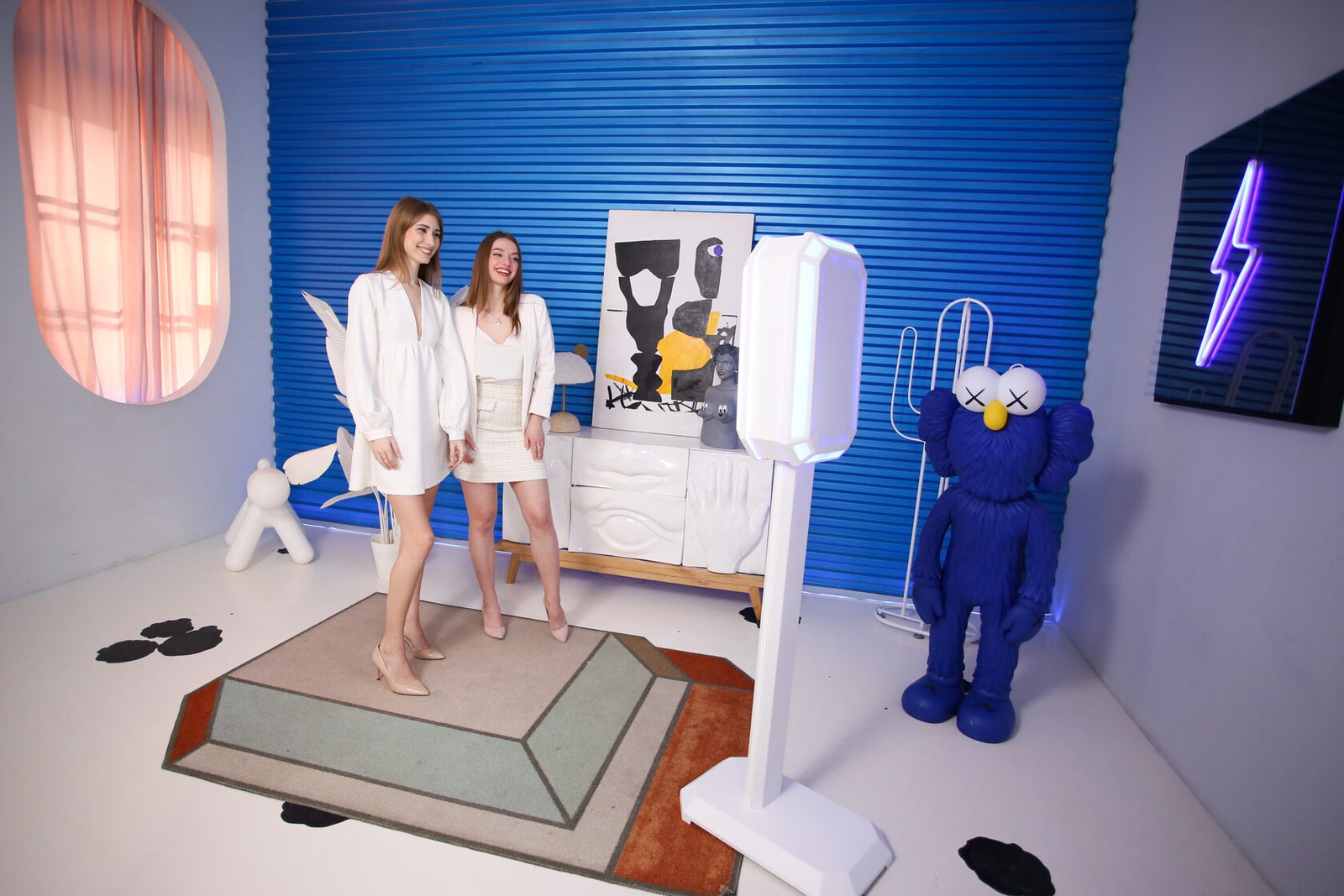
Guests see a clear place to create, not a collection of equipment.
Display, camera and light meet in one recognisable form. The flow can end in a photo, a video, a print or digital delivery.
- PhotoCapture with a prepared template, background and delivery path.
- VideoShort clips and interactive mechanics in the selected software.
- Print and sharingUse a confirmed printer or deliver the result digitally.
Image formats
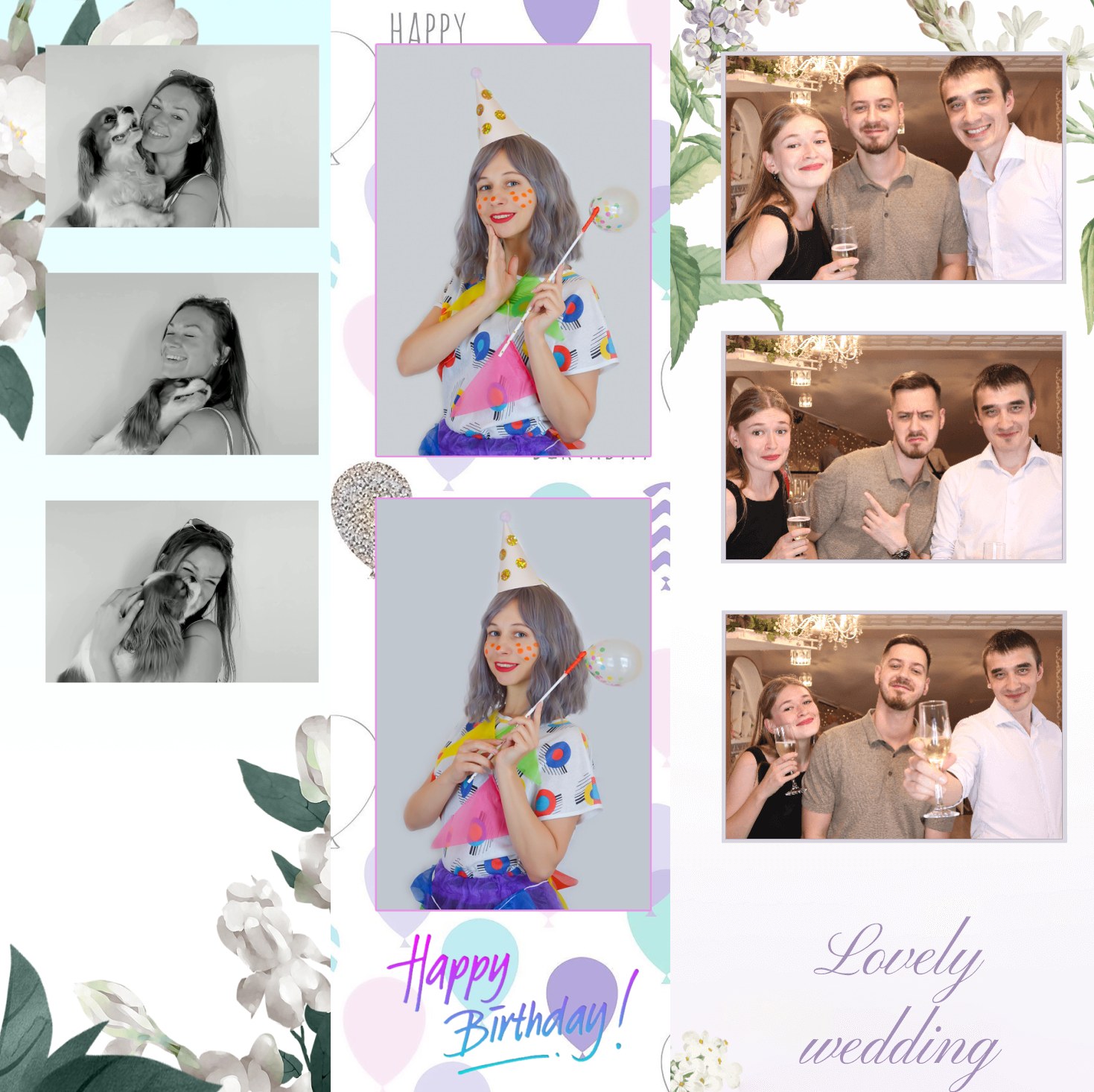
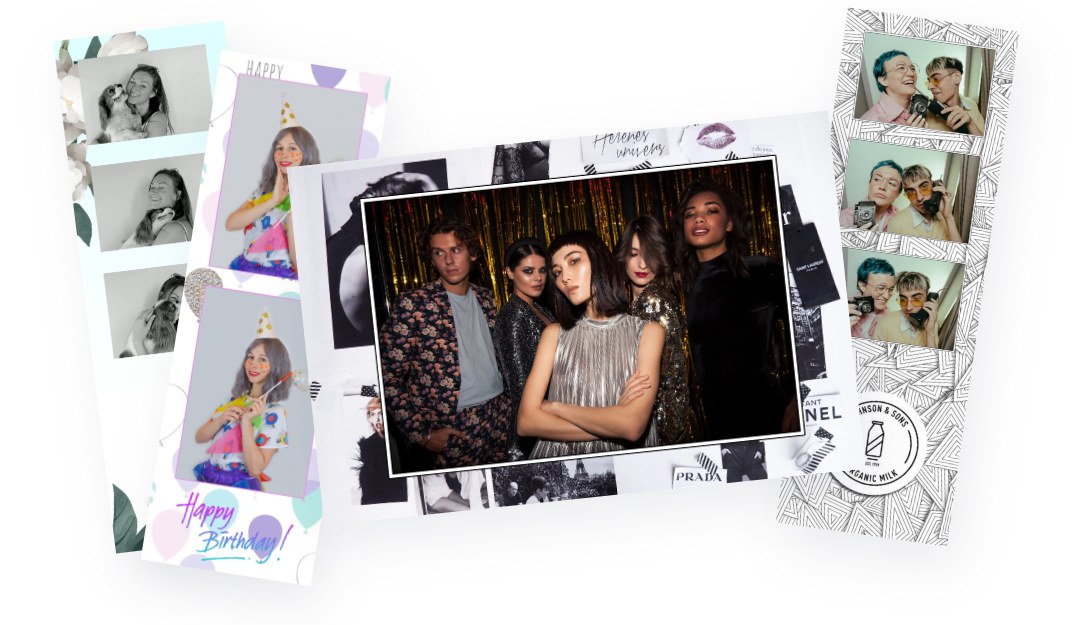
Photography in any format
A single workflow can deliver a classic frame, a vertical portrait, a square composition or a long photo strip. Format, framing and graphics are prepared around the event mechanic and delivery channel.
Construction
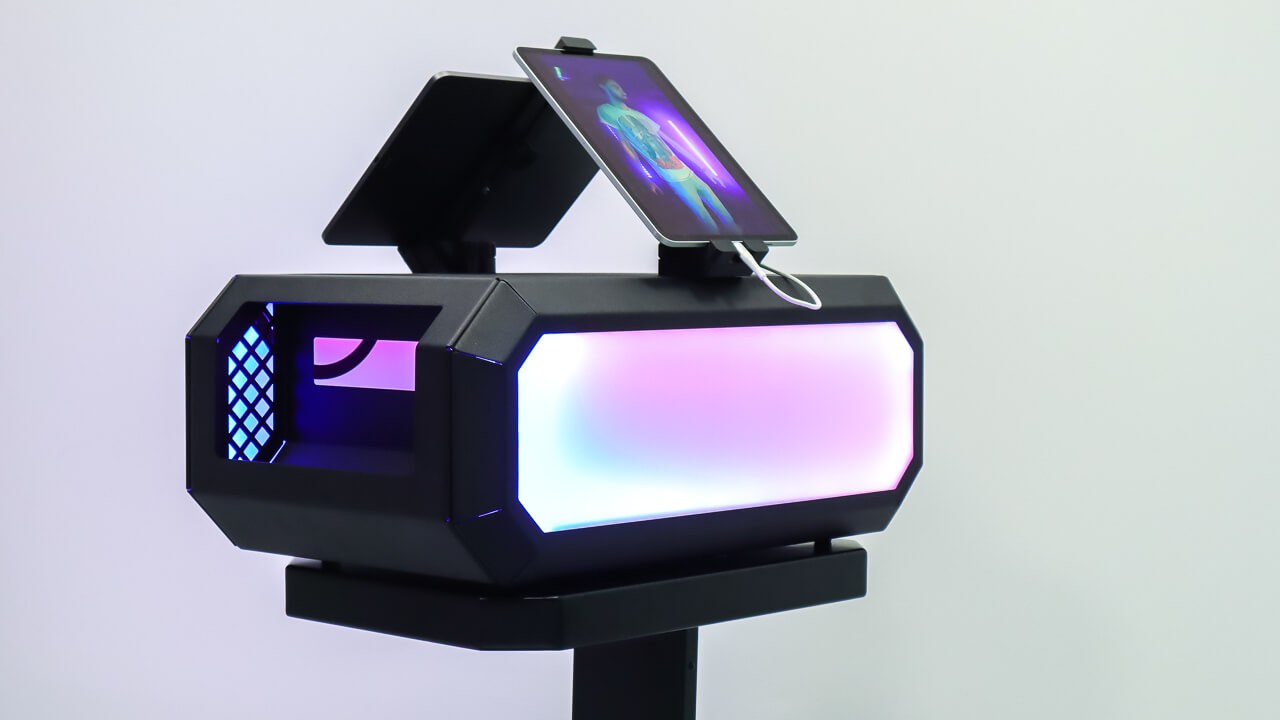
The working system is organised around one clean enclosure.
Core components and cabling stay inside while the booth remains visually at home in the venue.
- Control deviceThe enclosure supports the confirmed Surface and iPad faceplates.
- CameraWebcams are confirmed; DSLR and GoPro connect through a compatible capture device.
- Integrated lightWhite and RGB lighting sit within the front face of the booth.
- Cable pathConnections are defined inside the selected configuration before the event.
Workflow
Move from event format to a complete capture zone.
Each step answers a real configuration question instead of assuming universal compatibility.
Define the result
Photo, video, print, delivery and branding determine the system.
Select the device
Confirm the faceplate, operating system and software workflow.
Validate the camera
Match the exact camera to its required connection method.
Complete the setup
Agree lighting, printing and the operator workflow.
Confirmed data
Confirmed MixUp compatibility
Validate the exact faceplate, camera and app combination before ordering.
| Surface | Pro 7, 7+, 8 and 9 |
|---|---|
| iPad Pro 12.9 | Generations 3–6 |
| iPad Pro 11 | Generations 1–4 |
| Cameras | Webcams; DSLR and GoPro through a compatible video capture device |
| Windows software | MixUp Software |
| iPad software | Snappic or another compatible iPad application |
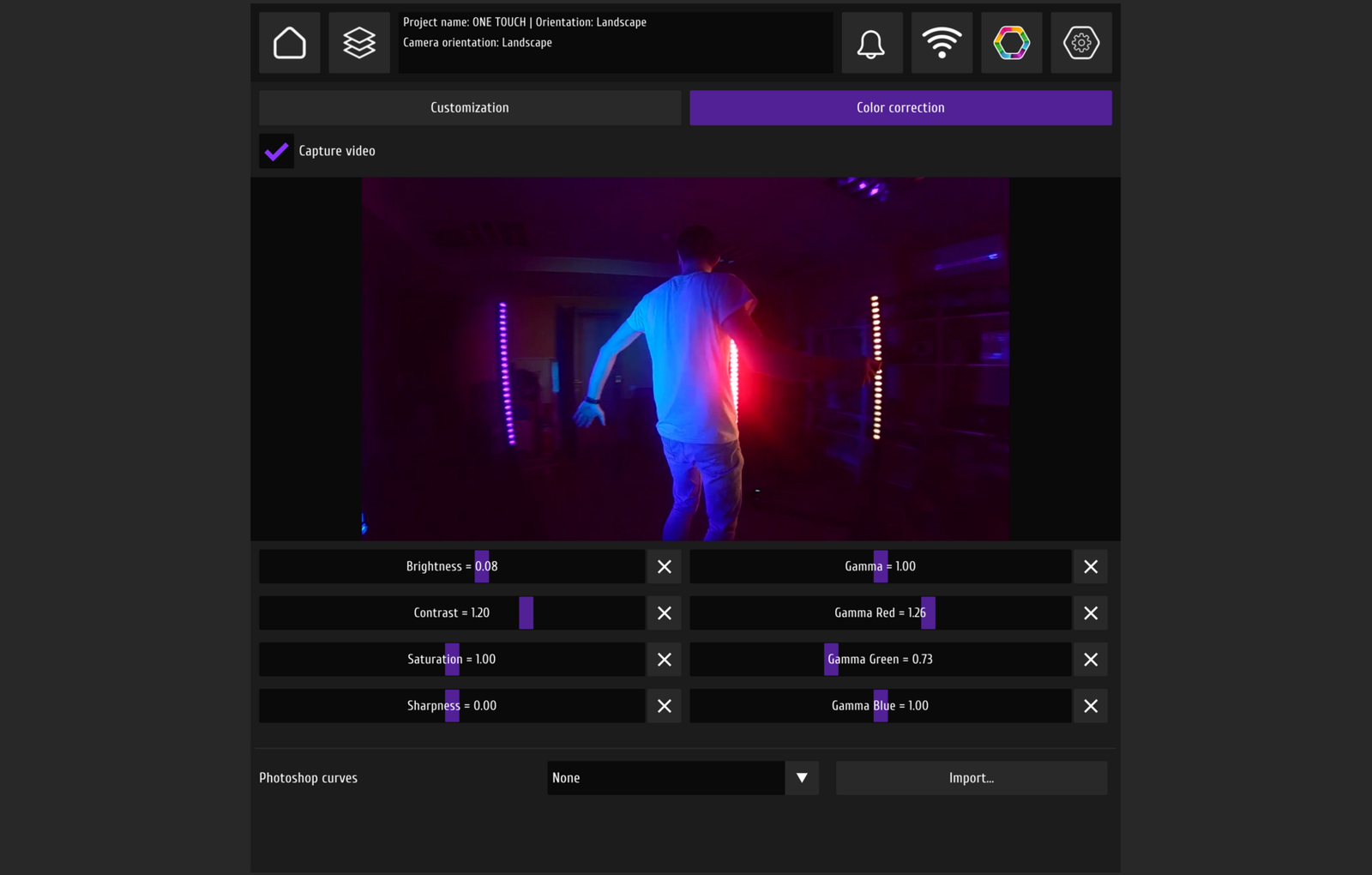
| Lighting | RGB through MixUp/MixUp Pixel or a compatible LED app; white-light control depends on configuration |
MixUp Software is Windows-only. An iPad configuration requires a compatible iPad application.
In detail
MixUp in detail
Inspect the enclosure and integrated light geometry without a heavy frame or aggressive crop.
FAQ
Before choosing MixUp
Every answer stays inside the confirmed compatibility boundary.
Which software works with MixUp?+
Windows configurations use MixUp Software. An iPad requires Snappic or another compatible iPad application.
Which Surface and iPad models are supported?+
Surface Pro 7, 7+, 8 and 9; iPad Pro 12.9-inch generations 3–6 and iPad Pro 11-inch generations 1–4 are confirmed.
How does the camera connect?+
Webcams are confirmed. A DSLR or GoPro uses a compatible video capture device; validate the exact model first.
Can the booth print at an event?+
Yes, when the configuration includes a supported printer. Printr can create a separate print and delivery point.
How is the lighting controlled?+
RGB can use MixUp Software, MixUp Pixel or a compatible LED app. White-light control depends on the selected configuration.
DZEN TECH / MixUp
Compose MixUp around your event format.
Confirm the control device, camera, light, printing and software as one working system.